The file extension is not .xlsx
When registering an Excel report as a template, an error will occur if the Excel file format is not .xlsx.
Please check the file extension, and if it is not .xlsx, follow the steps below to correct it before attempting to register the template again.
Note: Examples other than .xlsx: .xlsm, .xls, .xltx, .xls, .xml, etc.
1. Open Excel, click on "File," and then select "Save As."
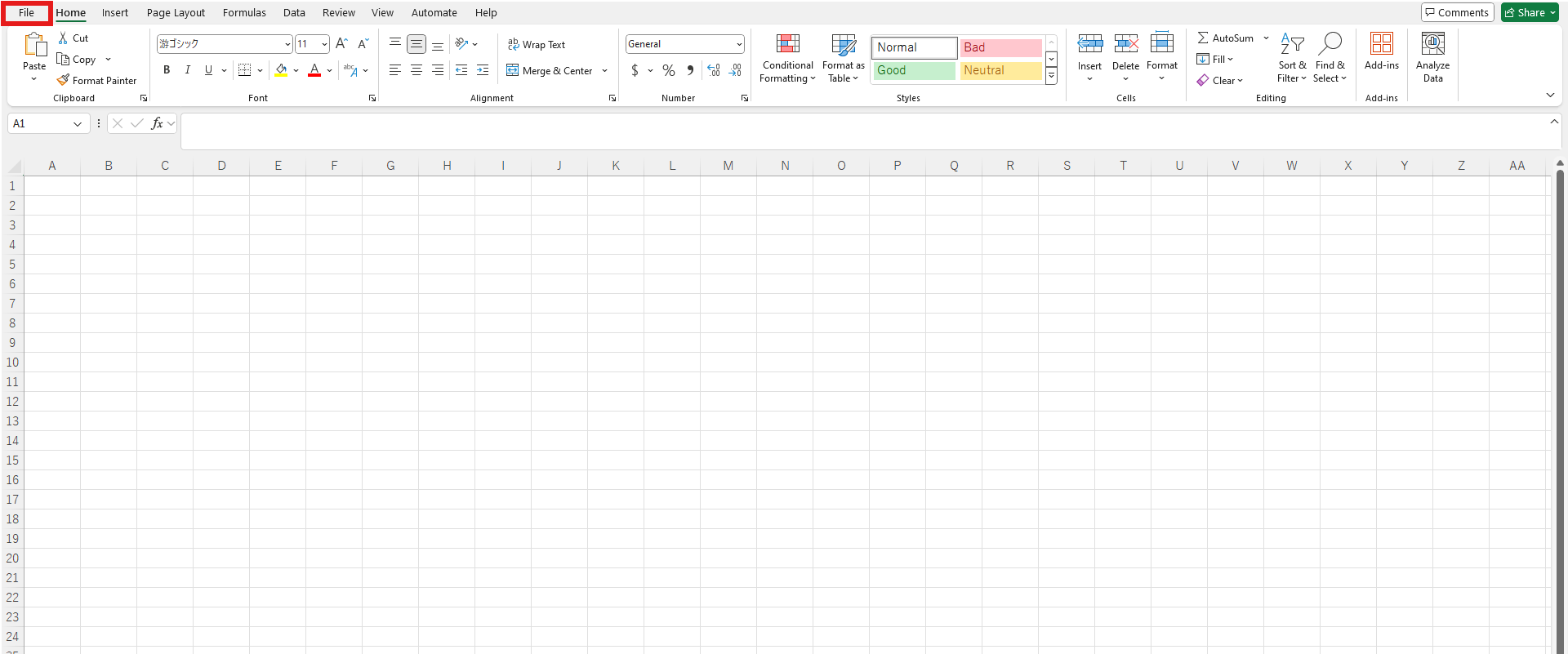
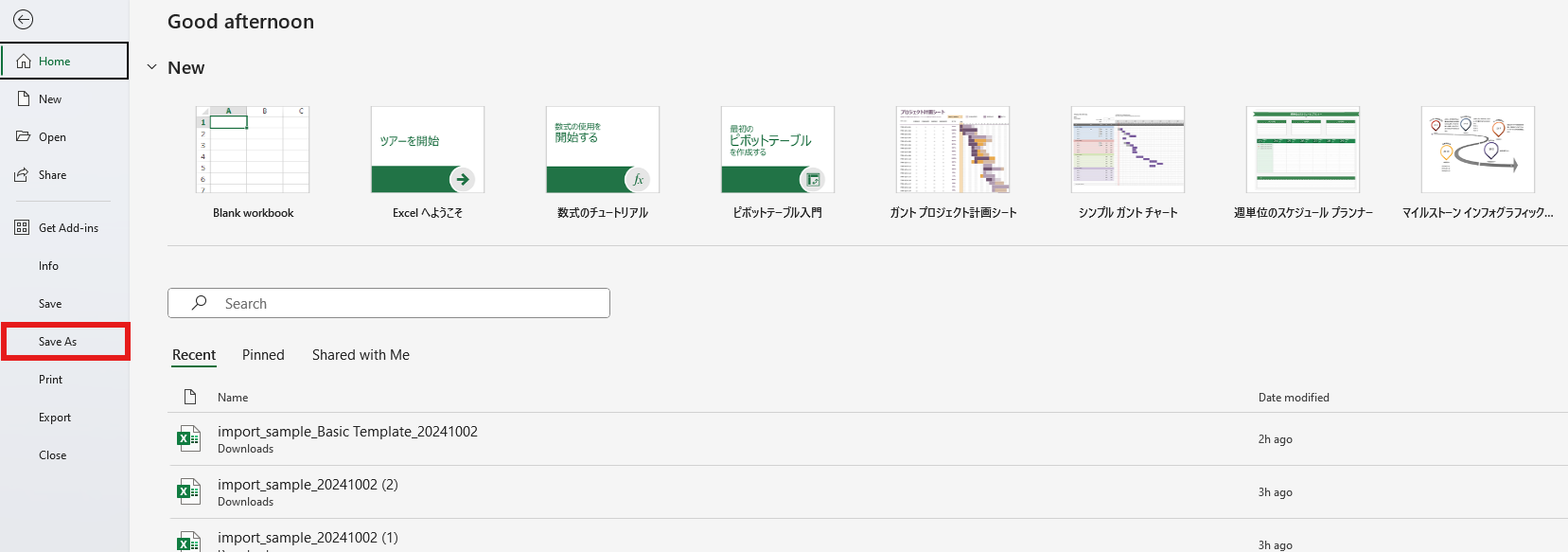
2. Change the file format to "Excel Workbook (.xlsx)" and click "Save."
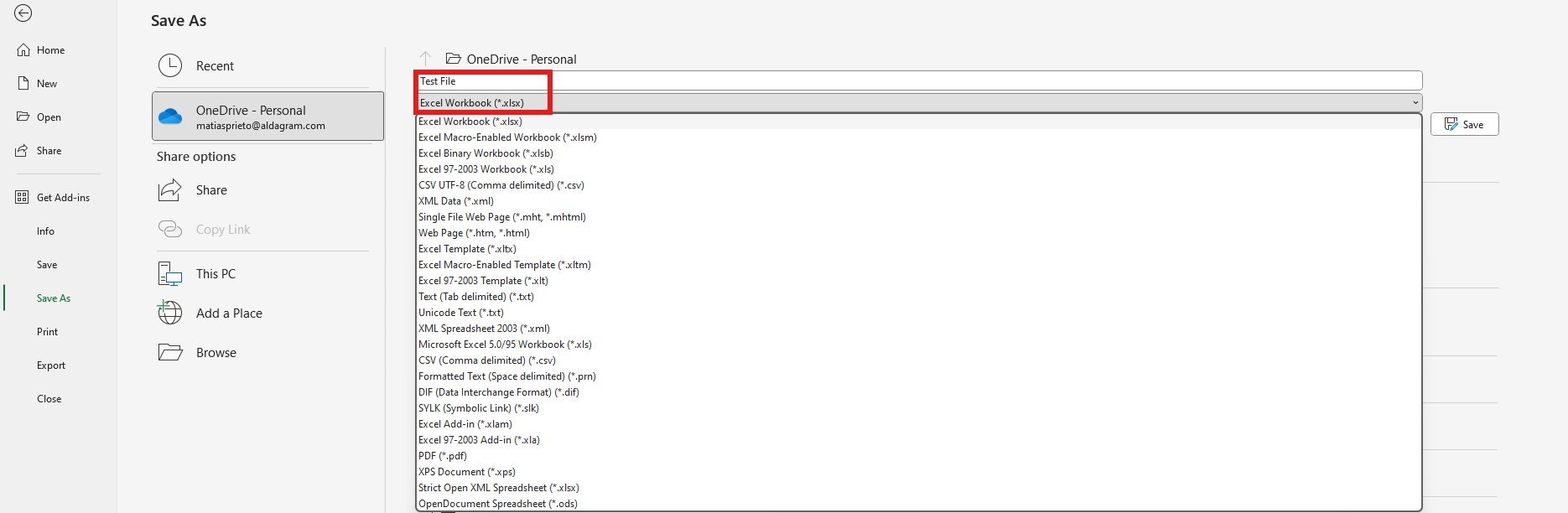
3. Done.
Please try uploading to KANNA again.
An object is inserted
If an object is inserted in the Excel file you want to register as a template, an error will occur during the report upload.
Please check if any objects are inserted using the steps below, delete them, and then try registering the template again.
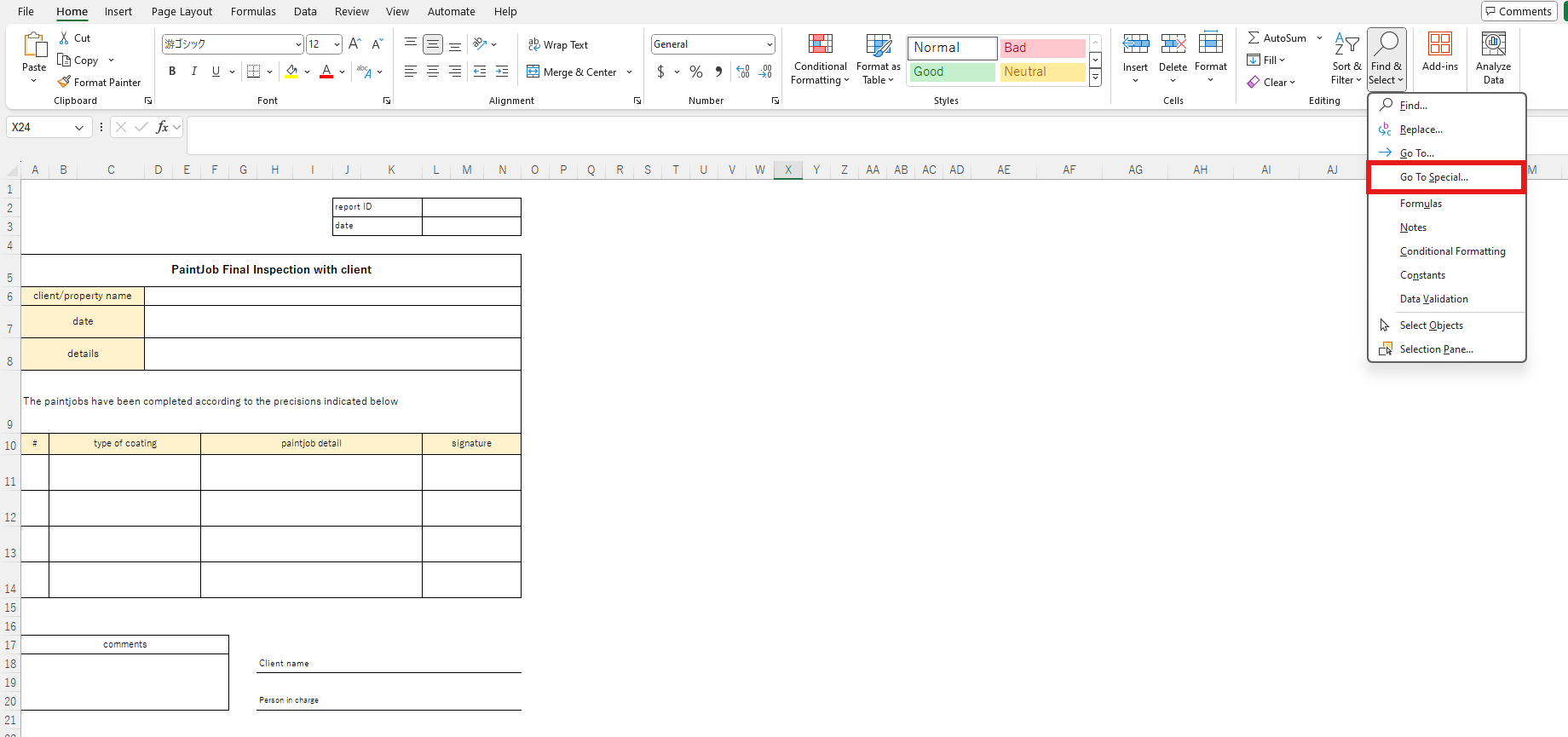
1. Open Excel and click on "Find & Select."
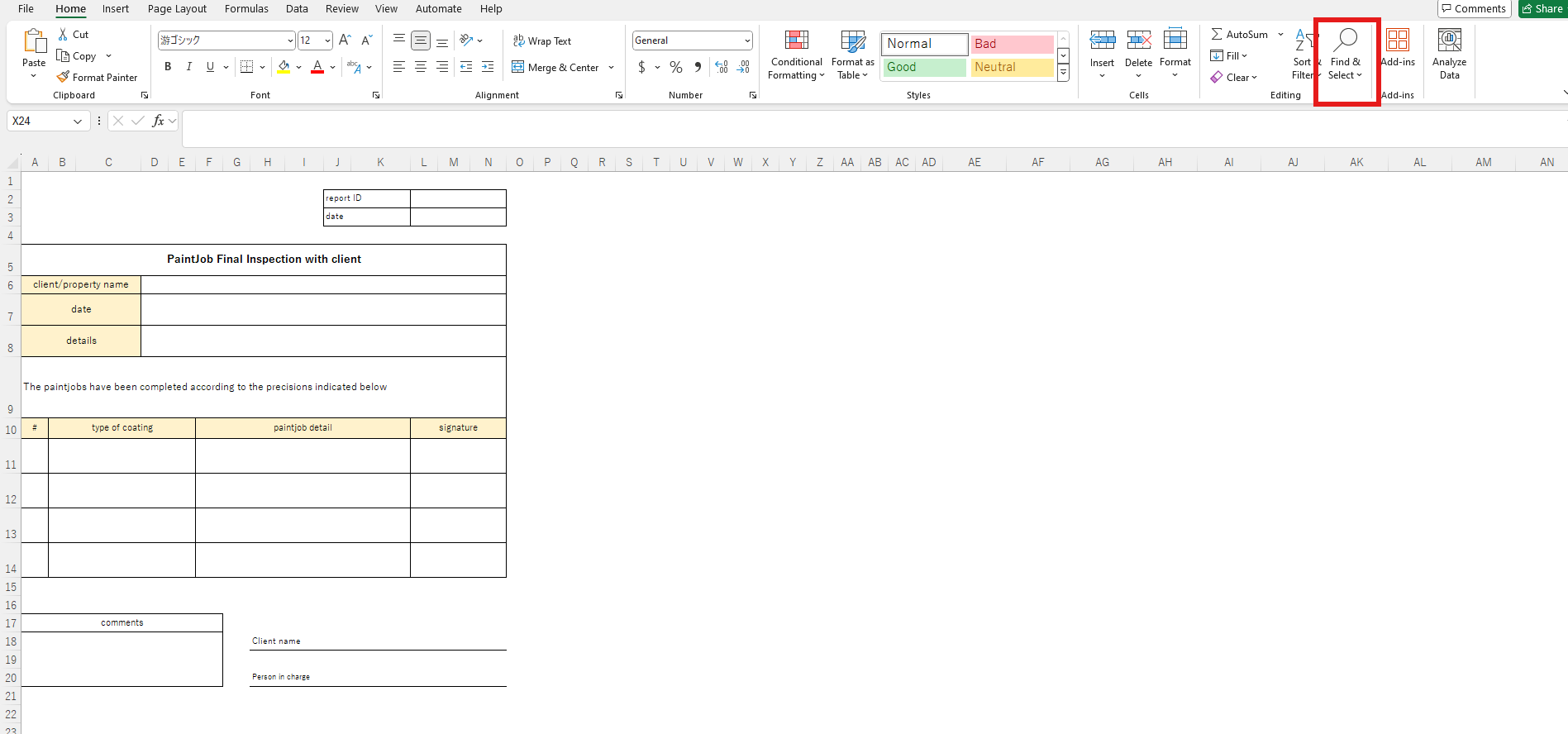
2. Click on "Go To Special"
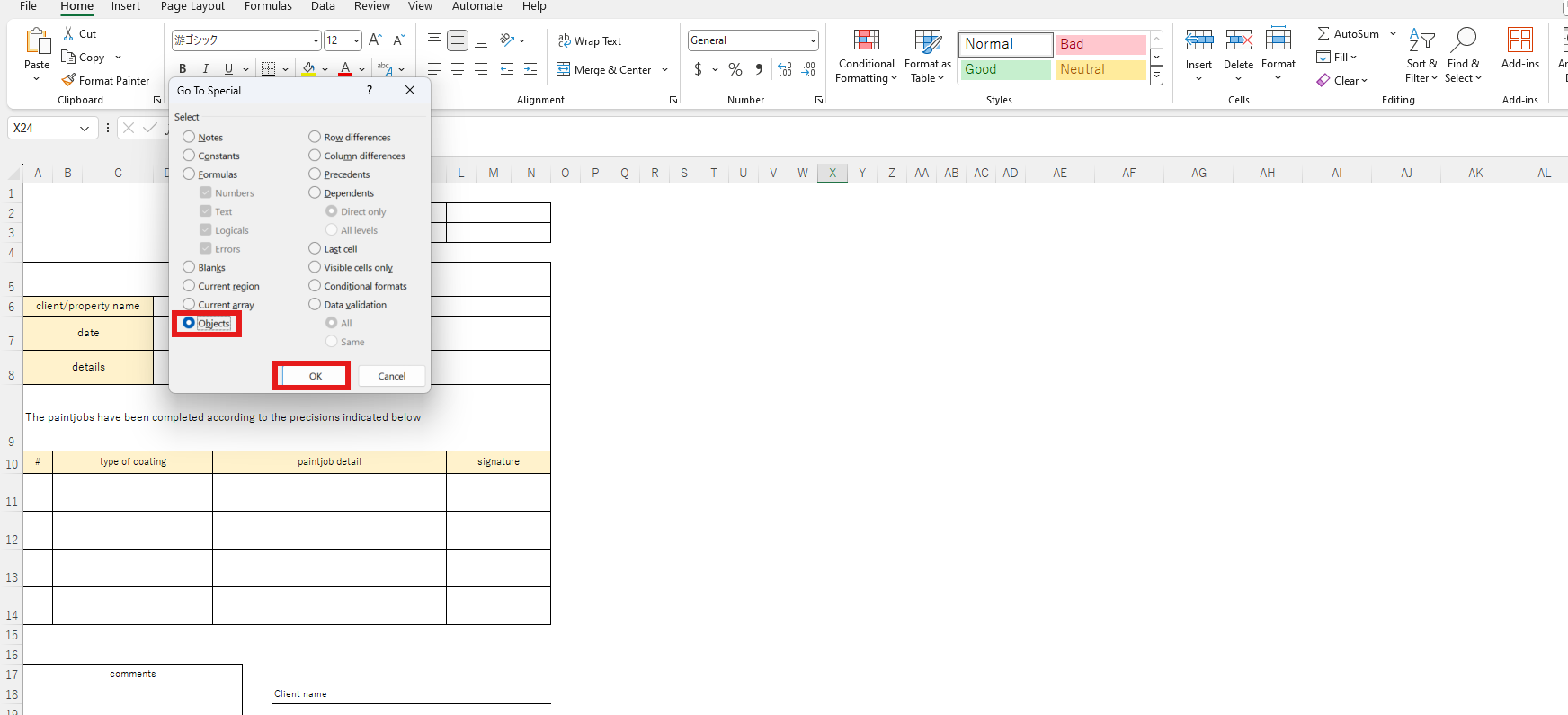
3. Select "Objects" and click "OK."
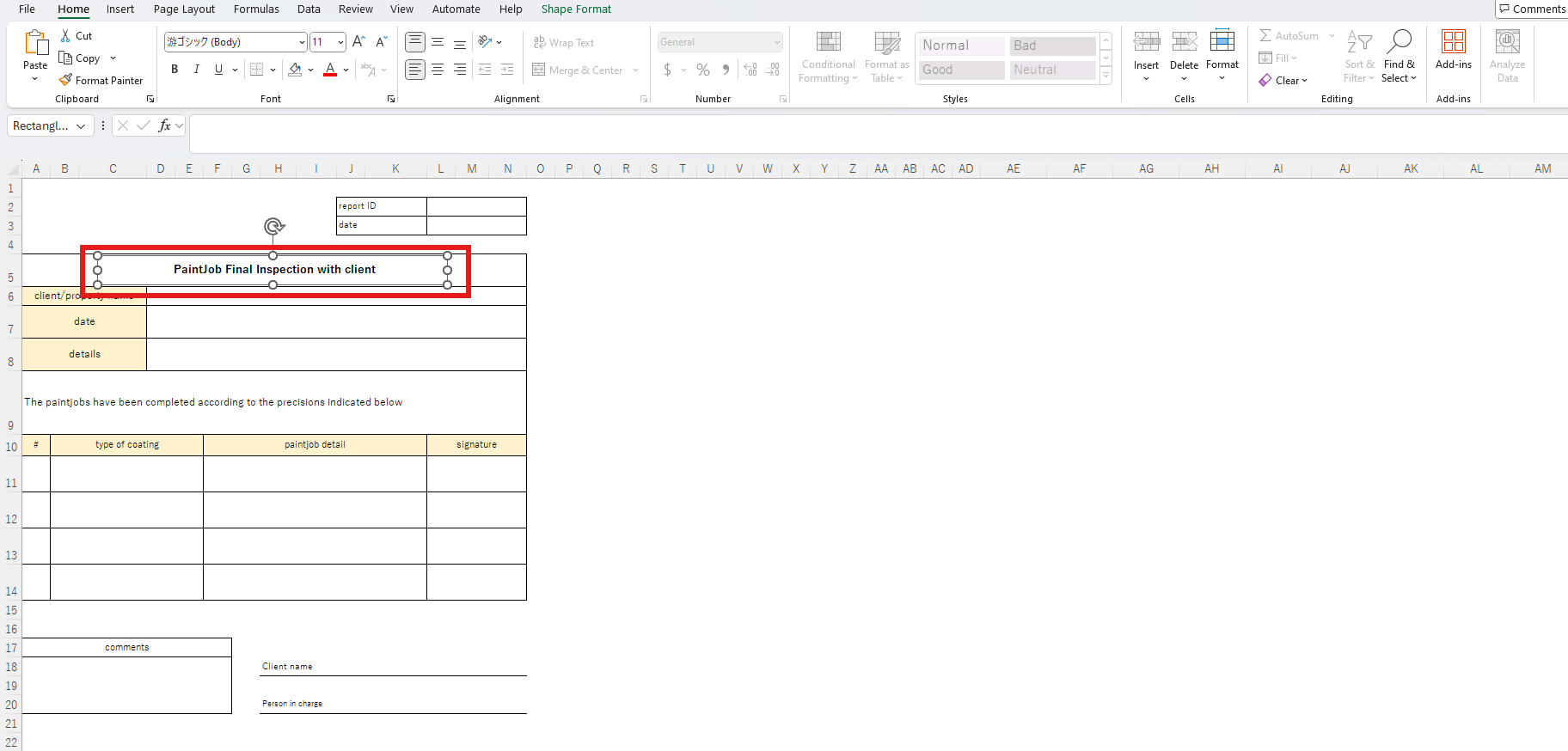
4. Locate the objects in the file and delete the relevant ones.
5. Done.
Please save the file and try uploading it to KANNA again.
The number of cells exceeds the limit
There is a cell limit for Excel files that can be imported into KANNA, with a maximum of 40,000 cells per sheet.
If the sheet exceeds 40,000 cells, an error such as "Import failed because Excel sheet range is too large" will be displayed.
If a sheet exceeds 40,000 cells, please edit the original Excel file to reduce the number of cells to within the limit or split the sheet, and then try uploading it again.