How to Bulk Download Photos by Folder
For instructions on selecting and downloading multiple photos within a folder, please refer to this guide.
Note: Photos are downloaded on a per-folder basis. Please note that bulk downloads by project are not supported.
Note: Bulk downloads by folder are only available on the PC version. In the app version, only multiple photos can be downloaded at once. For more details, please refer to this page.
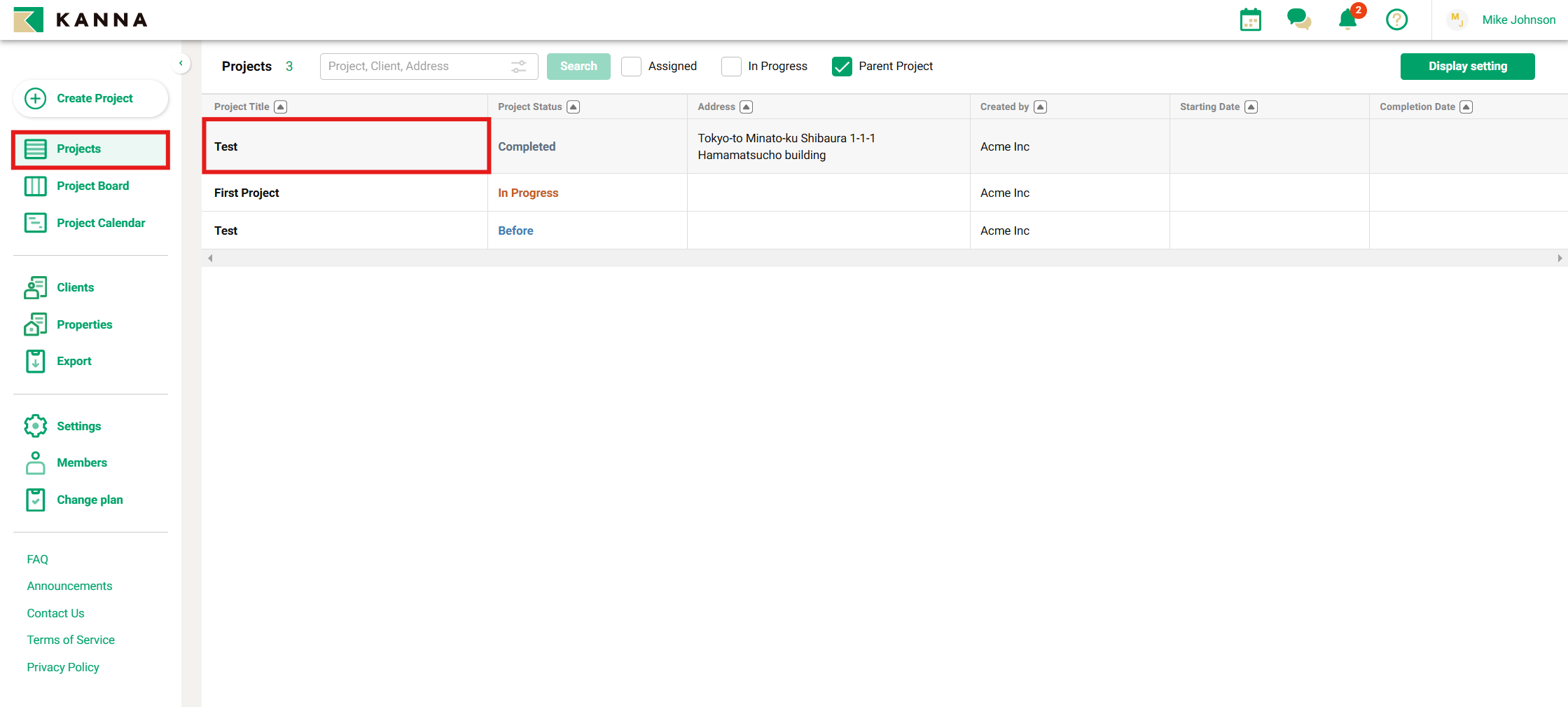
1. Select a project from the "Projects" menu
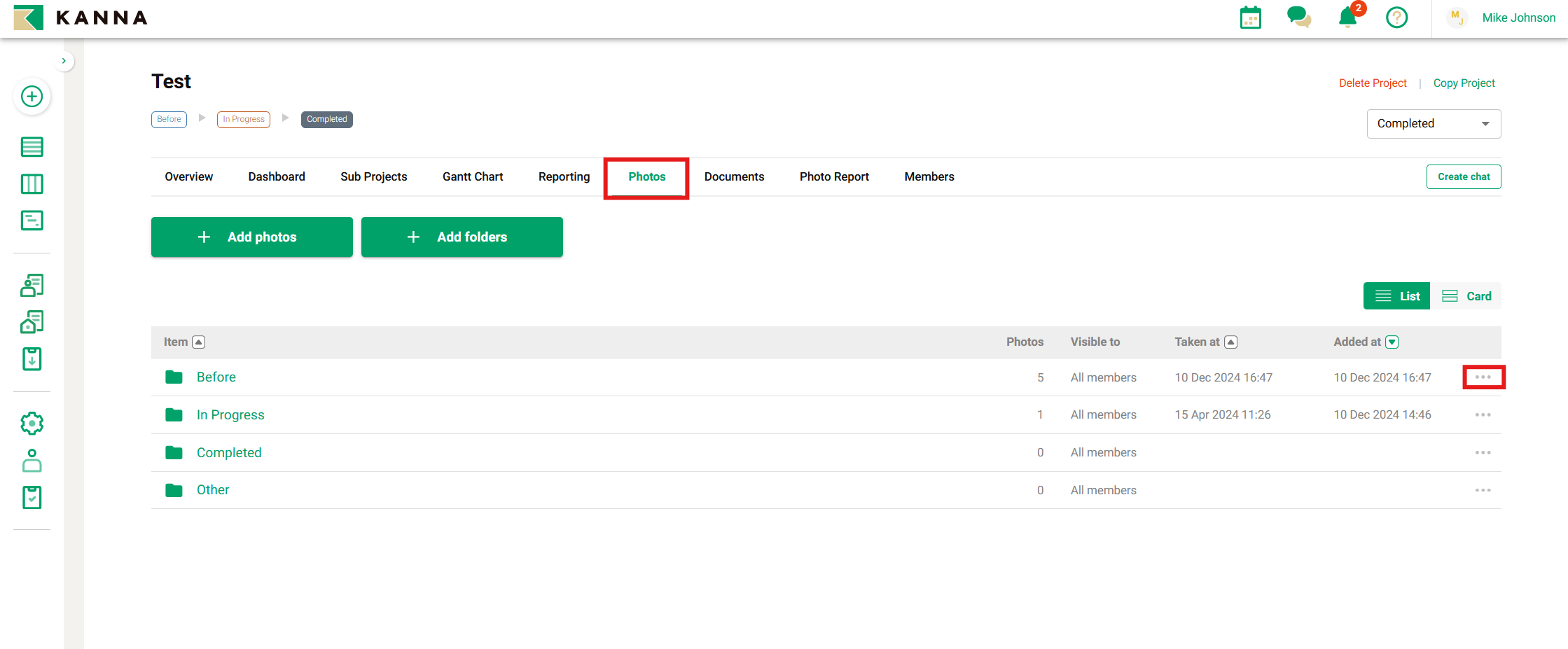
2. Click "Photos", then click on the "..." icon to the right of the folder
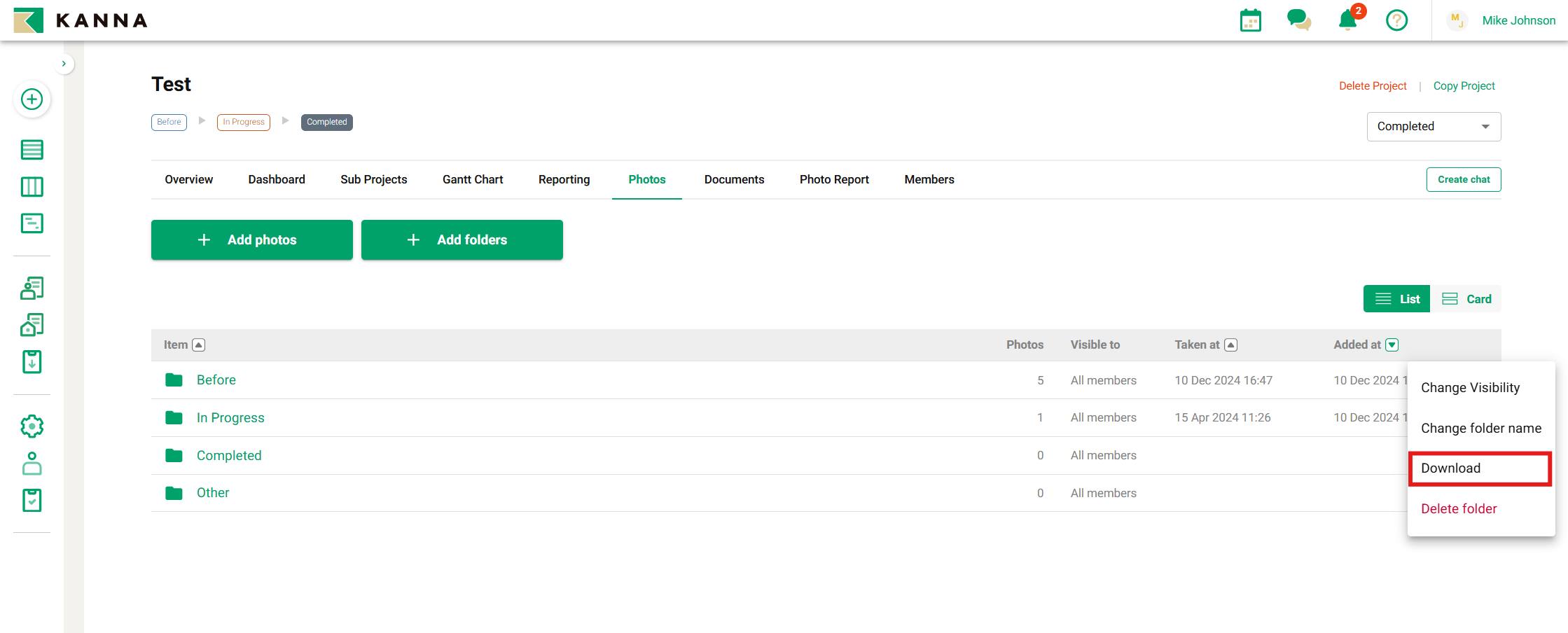
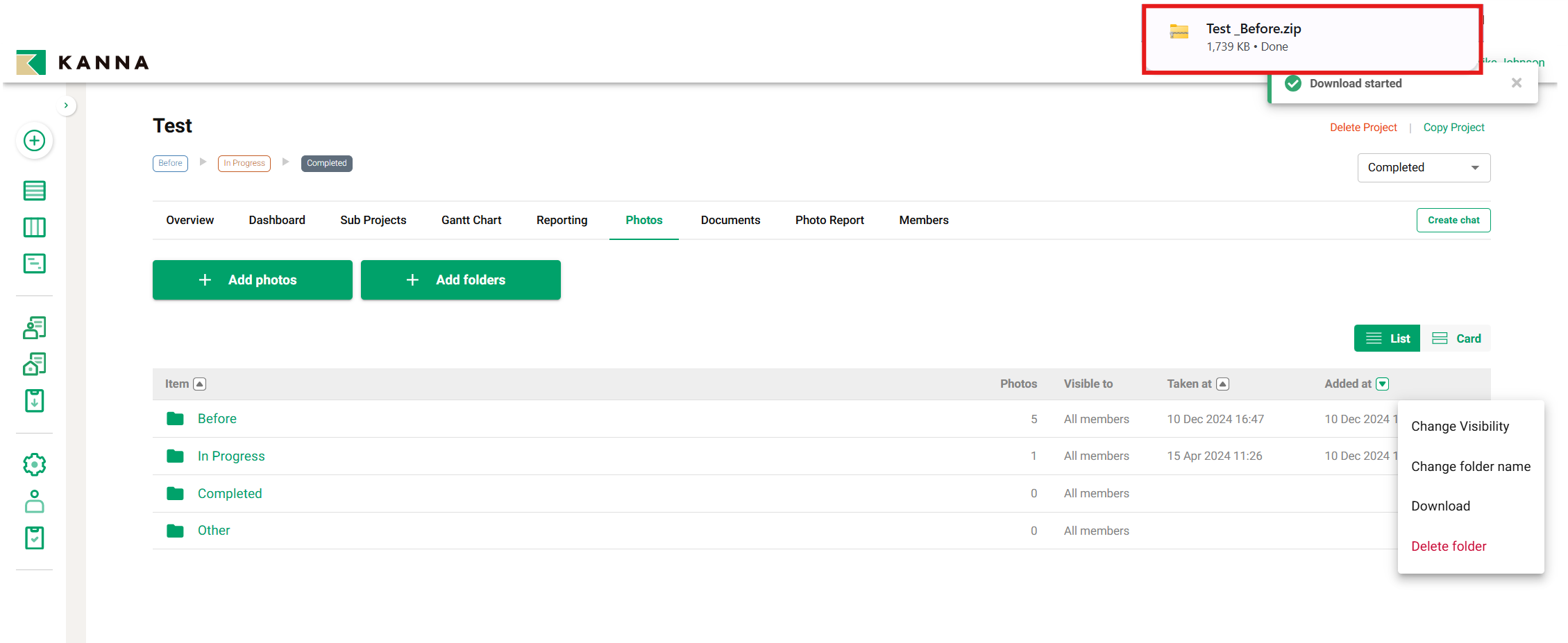
3. Click "Download" from the right tab
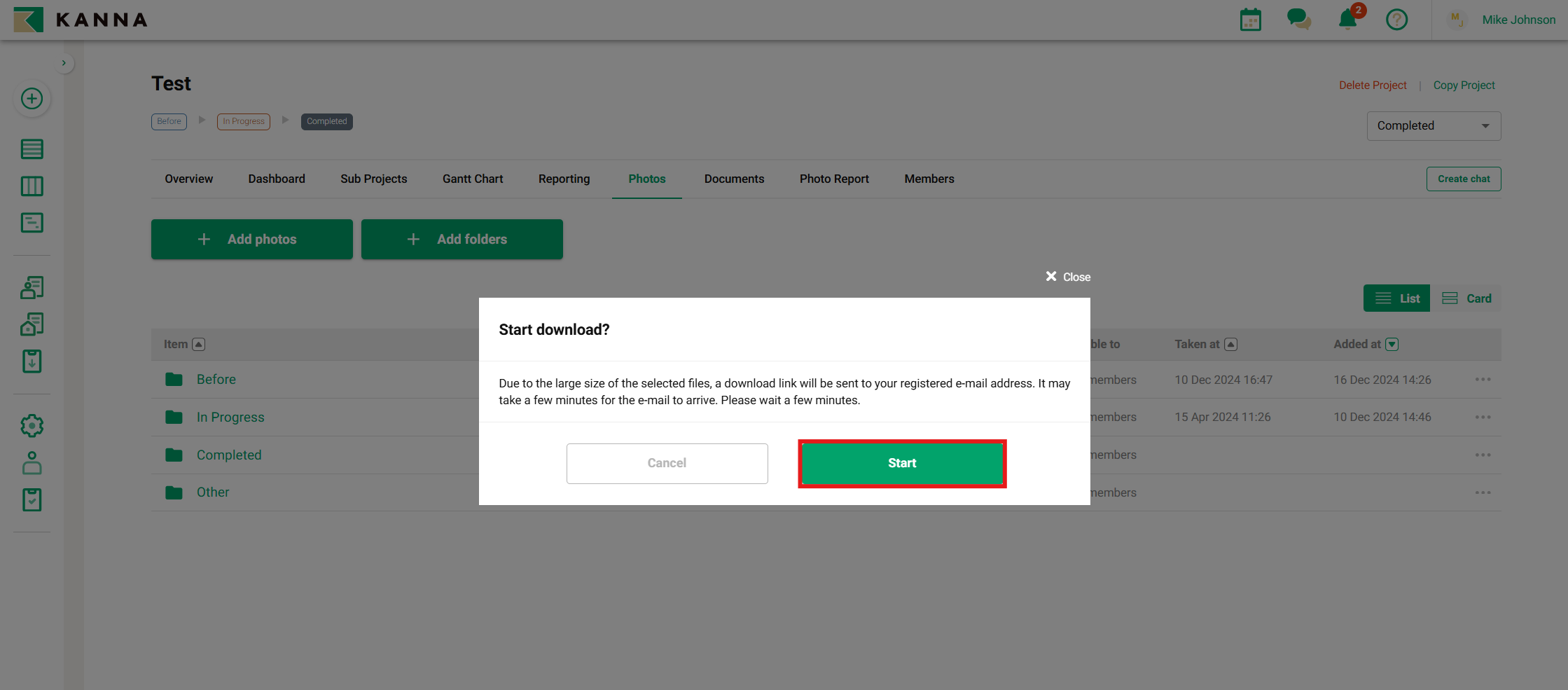
4. After the download is complete
After the download is complete, a zip file will appear in the top right corner.
- When the file size is large